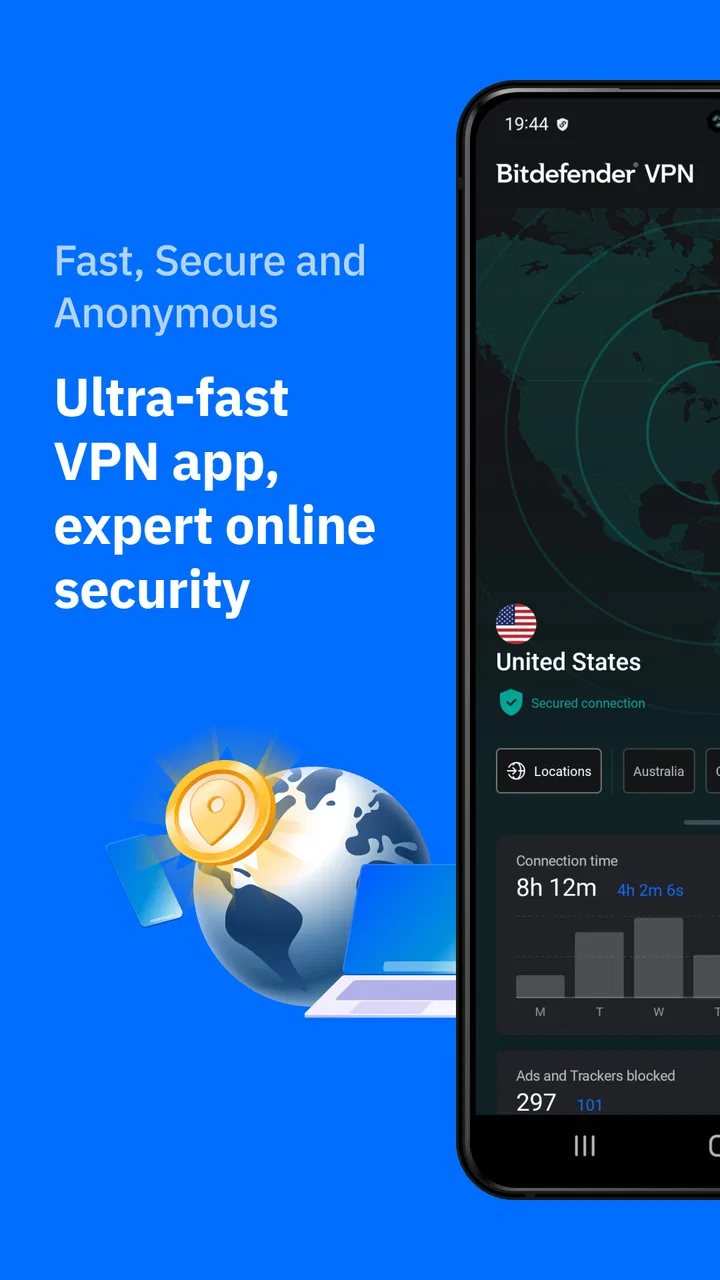
Bitdefender VPN: Fast & Secure
- 4.7
- Rating
- 1.00M
- Installs
- Free
- Price

 Analysis by App-foxy
When I first open a VPN, I want one clear answer before anything else: can I protect my connection without turning the process into a technical project? Bitdefender VPN: Fast & Secure is built around that simple expectation. It is a free tools app from Bitdefender for Android, with a straightforward path from installation to an active VPN connection. In my experience, that makes it approachable for someone who has never used a VPN before, while still leaving a few important decisions for people who care about how and when their traffic is routed.
The app’s basic job is to create a more private connection between your device and the internet. That can be useful on public Wi-Fi, while travelling, or whenever you would rather not browse directly through the network you are currently using. It is not a replacement for careful browsing, strong account passwords, or device security, but it can be a sensible extra layer. The key is understanding what it does well and where a general-purpose VPN app may not be the best fit.
What to expect before you connect
The first thing I noticed is that the experience is much less intimidating than the word “VPN” can suggest. You do not need to understand tunnelling, DNS settings, or server infrastructure to begin. The app presents itself as a practical privacy tool rather than a dashboard aimed only at networking enthusiasts. That is especially helpful for first-time users who mainly want to secure a connection before opening email, banking, work, or travel apps on unfamiliar Wi-Fi.
You May Also Like

 Blood Strike: 2.5 Anniversary
Blood Strike’s Loadouts Turn Every Drop Into a Tactical Gamble
A close look at Blood Strike’s custom loadouts: how fast access to signature weapons reshapes its battle royale rhythm, rewards preparation, and narrows the gap between fights.

 Pandora - Music & Podcasts
Pandora’s Music Is Easy to Start, but Harder to Recover
Pandora’s strength is its low-effort path from a seed to a station. Its weak spot is how much confidence it asks you to place in connection, setup, and quiet recovery.

 8 Ball Pool
 Is Built on Rivalries, Rematches, and Routine
A close look at the rivalries, rematches, shared routines, and unanswered safety questions that turn a quick pool match into a persistent mobile community.

 Samsung Music
’s Quiet Strength Is Playing What You Already Own
Its reach comes less from spectacle than from dependable access to a personal library. That simplicity is both the app’s strongest retention engine and its ceiling.

 AccuWeather: Weather Radar
AccuWeather Review: A Quick, Clear Forecast for Everyday Decisions
For everyday plans, the best forecast is the one you can understand quickly. AccuWeather makes rain timing, radar, and local conditions easy to act on, with a few trade-offs.

 Hill Climb Racing
Why Hill Climb Racing Still Turns Crashes Into One More Run
A tiny car, a bumpy hill and one more upgrade: Hill Climb Racing keeps resurfacing because its simple chaos makes every near-miss feel personal.
More From Our News Desk



Bitdefender is the developer, and the app sits in the tools category rather than being bundled into a broader security suite experience. Its store summary focuses on security, privacy, and speed, but I would treat those as goals rather than promises that every connection will feel identical. VPN performance depends on the network you start with, the distance to the chosen connection point, congestion, and what you are doing online. A VPN can improve privacy while still adding a little delay to browsing or downloads.
The app is free to install and is rated for Everyone, which makes it easy to try without committing money at the beginning. There are in-app purchases ranging from $4.49 to $69.99 per item, so I would pay attention to the plan screen before accepting anything. A free entry point is useful, but it should not be confused with every possible paid option being included automatically.
It has passed one million installs and holds a 4.7 average from around 57 thousand ratings, with about 2.8 thousand written reviews. Those figures suggest that the app has found a substantial audience, although popularity does not remove the need to check whether its approach matches your own needs. The current version is 2.3.3.178, and it supports Android from version 5.1 onward, so it remains accessible on many older devices as well as newer phones.
My main advice is to decide what success means before you tap the connection control. If your goal is “protect this phone while I use airport Wi-Fi,” you can judge the app quickly. If your goal is accessing a particular service from a particular country, maintaining a permanent work tunnel, or controlling every application separately, you should investigate those requirements more carefully before relying on it.
Who will get the most from it
I think this app is a strong match for people who want a simple privacy habit. It suits a traveller checking reservations in a café, a student using shared campus Wi-Fi, or anyone who occasionally connects through a hotel network and wants an additional barrier between the device and the local connection. It is also useful for a family member who would rather press one obvious button than manage a complicated collection of network settings.
It is less convincing for someone who needs detailed network controls, a VPN designed specifically for an office, or a carefully managed setup across many devices. It may also be the wrong choice if your priority is a very particular streaming catalogue or a fixed location for every session. In those cases, a specialist provider with clearly documented location, protocol, and account features may be a better comparison.
Getting through the first setup
After installing the app, I would approach the first launch slowly rather than tapping through every screen automatically. The important moment is the Android request to establish a VPN connection. That system confirmation is normal: Android needs your approval before an app can route traffic through a VPN service. Reading that prompt helps remove one common worry, because the permission is not the same as giving the app unlimited control over the entire phone.
Once the initial screens are complete, look for the main connection area rather than searching through secondary menus. The first meaningful task is not changing every available preference; it is making one clean connection and learning what the connected state looks like. On Android, the system usually gives a visible indication when a VPN is active, so I recommend checking for that indicator instead of assuming that a tap succeeded.
A useful first-session routine is to connect while you are on your normal home network, wait for the app and Android to show the active state, then open a familiar website or app. This does not prove every privacy property of the service, but it confirms that your phone can establish the tunnel and that everyday browsing still works. Testing at home also gives you a baseline before you depend on the app in a busy public place.
If the app presents account or subscription choices during setup, do not rush. Start with the option that lets you understand the basic experience, and examine the wording around any trial or purchase carefully. This is one of the most practical differences between “free to install” and “free for every use.” I prefer to know exactly which screen I am accepting before I begin using a privacy tool regularly.
Your first successful action
The first success I would aim for is simple: connect, verify the Android VPN indicator, and use one ordinary online service without changing anything else. That sequence teaches you three things at once. You learn where the control is, how the active state is displayed, and whether the connection behaves acceptably on your particular phone and network.
For a realistic example, imagine arriving at a hotel after a long journey. You connect to the hotel Wi-Fi, open Bitdefender VPN, and activate it before checking your work mail or signing into a travel account. If the connection takes a moment, I would wait rather than repeatedly tapping the button. When the VPN indicator appears, I would open the service I need and continue normally. The benefit is not that the hotel network becomes magically trustworthy; it is that your traffic gets an additional protected route instead of going directly through that local network.
That workflow is also a good way to avoid a subtle mistake: activating the VPN only after you have already entered sensitive information. Make the connection part of the sequence before opening the important app. On a phone, habits matter more than complicated configuration, and the cleanest habit is “join Wi-Fi, activate the VPN, then browse.”
I would not use a single website’s displayed location as the only test of whether the VPN is working. Location detection can vary between services, and a changed location is not the same thing as a complete privacy audit. The Android indicator plus the app’s connected state are more useful for confirming that the VPN session itself is active.
Small habits that make the app more useful
One non-obvious advantage of a simple VPN interface is that it encourages selective use. You do not have to leave it running merely because you installed it. I would turn it on for unfamiliar networks, sensitive browsing, or travel, then compare the experience with normal use. This helps you notice whether a particular network, app, or location creates delays without blaming the VPN for every slow connection.
Another practical tip is to test demanding tasks separately. Browsing a news page, joining a video call, uploading photos, and downloading a large file place different demands on a connection. If a call feels unstable, disconnecting briefly can help identify whether the VPN path is involved, although the underlying Wi-Fi may still be the real problem. This kind of comparison is more useful than judging performance from one quick page load.
I also recommend checking the VPN state after restarting the phone, switching between Wi-Fi and mobile data, or moving from one network to another. A session that was active earlier may not remain active after a network change, and the safest habit is to confirm rather than assume. This is particularly important when you leave a trusted home network and join public Wi-Fi during the same day.
Finally, remember that a VPN does not make every app private in every sense. If you sign into a social network, that service can still associate activity with your account. If you install a suspicious application, routing its traffic through a VPN does not make the application trustworthy. Bitdefender VPN is best understood as a connection-protection tool, not a complete substitute for sensible permissions, updates, and account security.
Common confusion during everyday use
The most common misunderstanding is expecting a VPN to make the internet faster. Sometimes a well-routed connection can feel smooth, but encryption and routing can also add overhead. If your home Wi-Fi is already weak, the VPN cannot repair the radio signal or your internet provider’s congestion. I would first compare the same task with the VPN on and off, using the same network and time of day, before deciding whether the app is responsible for a slowdown.
Another point of confusion is the difference between privacy from a local network and anonymity everywhere. A VPN can help prevent the local Wi-Fi operator from seeing your traffic in the same direct way, but websites, apps, and accounts can still identify you through logins, cookies, device signals, or their own tracking systems. That distinction is important because it keeps expectations realistic and prevents risky behaviour based on a false sense of invisibility.
Some users may also wonder why a VPN connection can affect location-sensitive apps. Services may use more than one signal to estimate your location, including account details and device location settings. A VPN changes the network route, but it does not necessarily change every location signal available to an app. If a map, payment app, or local service behaves differently while connected, disconnecting for that task may be more sensible than repeatedly reconnecting.
Subscription prompts can create a different kind of uncertainty. Because the app is free to install but includes paid items, I would treat any upgrade screen as a decision point rather than a routine part of setup. Read what the selected option offers, check the amount shown by the store, and make sure it matches the way you plan to use the service. If you only need occasional protection on public Wi-Fi, a paid plan may not provide enough extra value for your habits.
There is also a trade-off between simplicity and control. A clean interface helps beginners connect quickly, but advanced users may want more visibility into routes, protocols, application rules, or specialised network behaviour. If those controls are central to your work, do not choose this app solely because the first screen looks friendly. A more technical VPN may take longer to configure but fit your requirements better.
When I would choose another option
I would look beyond this app if I needed a managed business deployment, detailed policy controls, or a known configuration for a company network. In that situation, the right tool is usually selected by the organisation’s technical requirements, not by how quickly an individual can connect.
I would also compare other VPN services if a specific geographic endpoint is essential to my daily routine. For example, someone who needs a consistent regional connection for a particular service should confirm that the available locations and behaviour meet that need before purchasing anything. A general privacy tool can be perfectly good for public Wi-Fi while still being a poor match for location-dependent work.
On the other hand, I would not switch away simply because the app does not make me configure advanced settings on day one. For a first-time user, fewer decisions can be a real benefit. The better question is whether the connection is reliable enough for the tasks you actually perform and whether the purchase options make sense for your frequency of use.
The next step after your first connection
After the first successful session, I would create a personal rule for when to use the app. My rule would be to activate it before using sensitive services on public or shared Wi-Fi, then verify the Android indicator after every network change. That is more sustainable than leaving the app on constantly without understanding how it affects calls, local devices, or battery use.
I would then test two or three everyday activities: ordinary browsing, a login to a service I use often, and a media or communication task. The point is not to collect laboratory measurements; it is to discover whether the VPN fits your phone, your network, and your routine. If one activity fails, test it again on a different network before deciding that the app cannot handle it.
Keep the app updated through the normal app-store process, especially when you rely on it as part of a travel or public-network routine. The installed release is 2.3.3.178, and the app has been available since Jul 2, 2020, so it is not a brand-new experiment. Still, an established release history does not mean every version behaves identically on every Android device.
My overall impression is that Bitdefender VPN: Fast & Secure succeeds most when it stays in the background of your decision-making. Its strongest quality is the short path from “I need protection now” to a confirmed active connection. That makes it a sensible starting point for people who find traditional VPN explanations overwhelming.
I would recommend it to a first-time Android user who wants an uncomplicated privacy layer for travel, cafés, hotels, school networks, or occasional sensitive browsing. I would be more cautious about recommending it as the only solution for advanced location requirements, business administration, or users who expect complete anonymity. The free starting point makes trying it easy, while the in-app purchase range means you should inspect the plan details before paying.
In the end, Bitdefender VPN: Fast & Secure is most useful when you treat it as one deliberate step in a safer connection routine. Install it, approve the Android VPN request, make one test connection at home, learn the active indicator, and then use it before sensitive activity on unfamiliar networks. That path gives a newcomer a meaningful result quickly without pretending that a VPN solves every privacy or security problem.
FAQs for Bitdefender VPN: Fast & Secure
01What is Bitdefender VPN: Fast & Secure, and how does it work?
Bitdefender VPN: Fast & Secure is a virtual private network app designed to encrypt your internet connection and route your traffic through a VPN server. This can help protect data when using public Wi-Fi, reduce exposure to network snooping, and provide additional privacy while browsing. After installation, you can connect with one tap, choose an available location when supported by your plan, and manage the VPN directly from the mobile app.
02Is Bitdefender VPN: Fast & Secure free to use?
Bitdefender VPN offers a free option, but it comes with limitations, most notably a restricted daily data allowance and fewer server-location choices. The Premium subscription is intended for users who need more regular protection, unlimited traffic, and broader access to VPN locations. Before downloading, check the current pricing, trial conditions, renewal terms, and available features in the Google Play Store or Apple App Store, as these may vary by platform and region.
03Does Bitdefender VPN slow down the internet or drain the battery?
Like any VPN, Bitdefender VPN can slightly affect connection speed because your traffic is encrypted and routed through an additional server. In testing, performance generally depends on your network quality, distance from the selected server, and current server demand. Battery usage may also increase while the VPN remains active, although the effect is usually manageable. Disconnecting it when protection is unnecessary can help conserve battery and data.
04Can Bitdefender VPN protect me on public Wi-Fi and keep my online activity private?
Bitdefender VPN is particularly useful on public Wi-Fi networks in airports, hotels, cafés, and other shared locations. It encrypts the connection between your device and the VPN server, making it harder for people on the same network to intercept your traffic. However, it does not make you completely anonymous, stop every form of tracking, or replace safe browsing habits. You should still use strong passwords, updated software, and two-factor authentication.
05Does Bitdefender VPN unblock streaming services, websites, or restricted content?
Bitdefender VPN may allow you to connect through servers in different locations, but access to streaming platforms and region-restricted websites is not guaranteed. Many services actively detect and block VPN connections, and available locations can differ between free and Premium plans. A VPN should also not be used to bypass laws, service agreements, or content restrictions. If streaming access is important to you, review the provider’s current policy and user feedback before subscribing.
Pros
- Simple interface makes connecting to a server quick and effortless.
- Automatic connection can protect you when joining unfamiliar Wi-Fi networks.
- Modern encryption helps shield traffic from local network snooping.
- Works across Android and iOS with one Bitdefender account.
- Premium plans include access to a broad selection of global locations.
Cons
- The free tier has a very limited daily data allowance.
- Streaming access can vary depending on the server and platform used.
- Some distant servers may noticeably reduce connection speeds.
- Advanced VPN controls are limited compared with specialist VPN apps.
- An account and subscription are required for the full experience.

Bitdefender VPN: Fast & Secure
Gallery